There are apps that show this on location. Handy, no question. But "on location" is sometimes too late. Like when you've just landed in the Canary Islands and realize the sunrise is on the other side of the island.
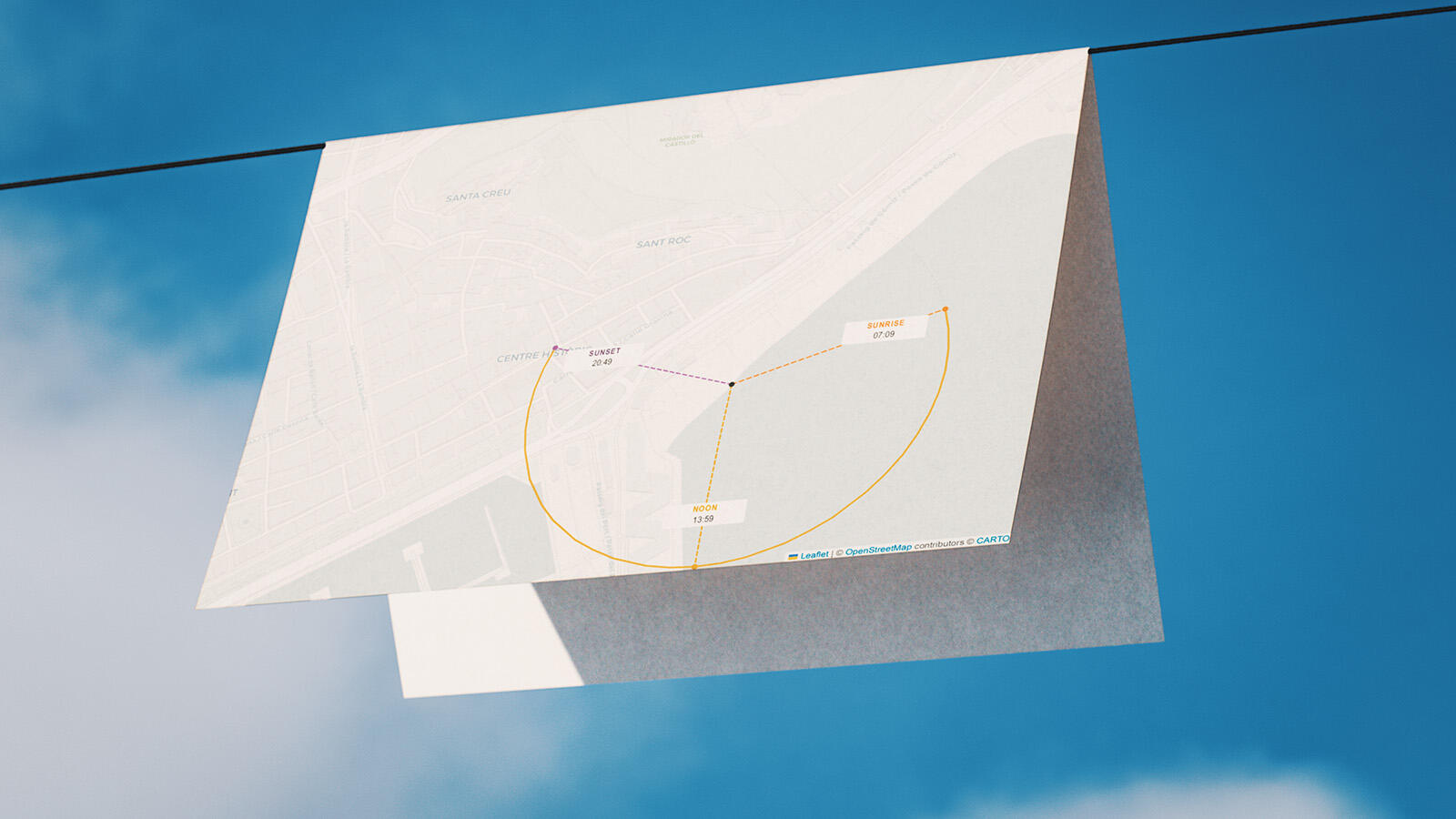
The controls are straightforward. Open the desired location in Google Maps, right-click on the spot, copy the coordinates. Paste them into the input field (example 38.34461798887687, -0.4777932894028898), choose the date, done. The map then shows three lines radiating from the center of the chosen location: sunrise in orange, noon in yellow, sunset in purple. The arc between sunrise and sunset makes it immediately clear how far the sun travels on that particular day. In December, that's a sobering amount. In June, almost generous.
The tool suggests the appropriate time zone automatically. Quite handy as they confuse me sometimes.
The map view is controlled by the zoom slider. Level 17 is the default and shows streets and buildings at a resolution that works well for my shoots. Anyone who wants to check individual property lines or building edges can go to 18 or 19; for a rough read of the surrounding area, 15 or 16.
The Print button outputs the map in landscape A4 format. The sidebar and zoom controls disappear, the map fills the entire page, with all three sun directions and their times. That's exactly what I take with me. I don't need anything fancier than that.
Enter coordinates, choose a date, print. After that, the sun can do whatever it wants.